Easier app deployment from CloudPebble
We now have an even easier way for you to deploy apps to your watches! No longer will you have to launch the app, turn on the development server, and type in your IP address. Instead, you now simply need to select your phone from a list.
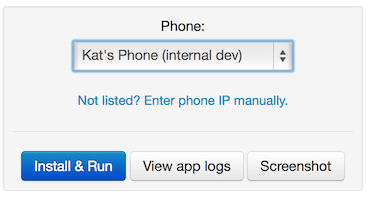
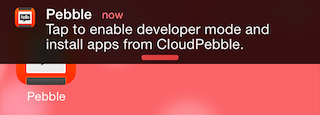
Once you've selected your phone from the list, you can click any of the buttons below it as usual. If your phone's screen is on and the Pebble app is displayed, you don't need to do anything – it's entirely automatic. If your phone is on but the Pebble app is not running, you will see a notification like this, which you can just tap to complete setup.
If your phone's screen is off, you will receive a notification like this on your lock screen; swipe it to the right to complete the setup process.
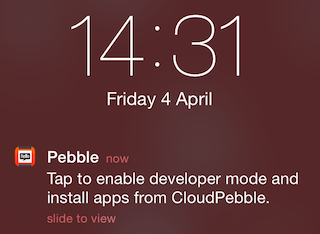
Do keep in mind that you must first enable Pebble Developer Mode in the iOS Settings app; if you haven't done this, CloudPebble will ask you to do so and try again. Don't worry about turning on the development server, it'll be switched on for you.
This feature requires that you have updated to iOS app 2.1.1. Unfortunately, it does not yet support Android. If we detect that you have no compatible devices we will automatically switch you to the manual IP entry view, where you can proceed as you have in the past.
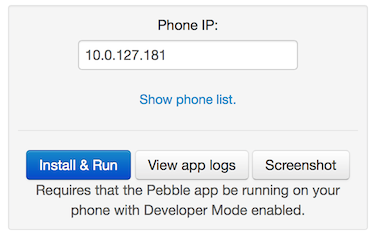
If you do have supported devices but want to install on some other device for any reason, you can also enter the IP manually by clicking the "Enter phone IP manually." link under the dropdown.
We hope this makes it easier for you to get apps on to your watch!
Categories
- All Posts
- #makeawesomehappen
- At the Pub
- Beautiful Code
- CloudPebble
- Down the Rabbit Hole
- Freshly Baked
- Timeline